
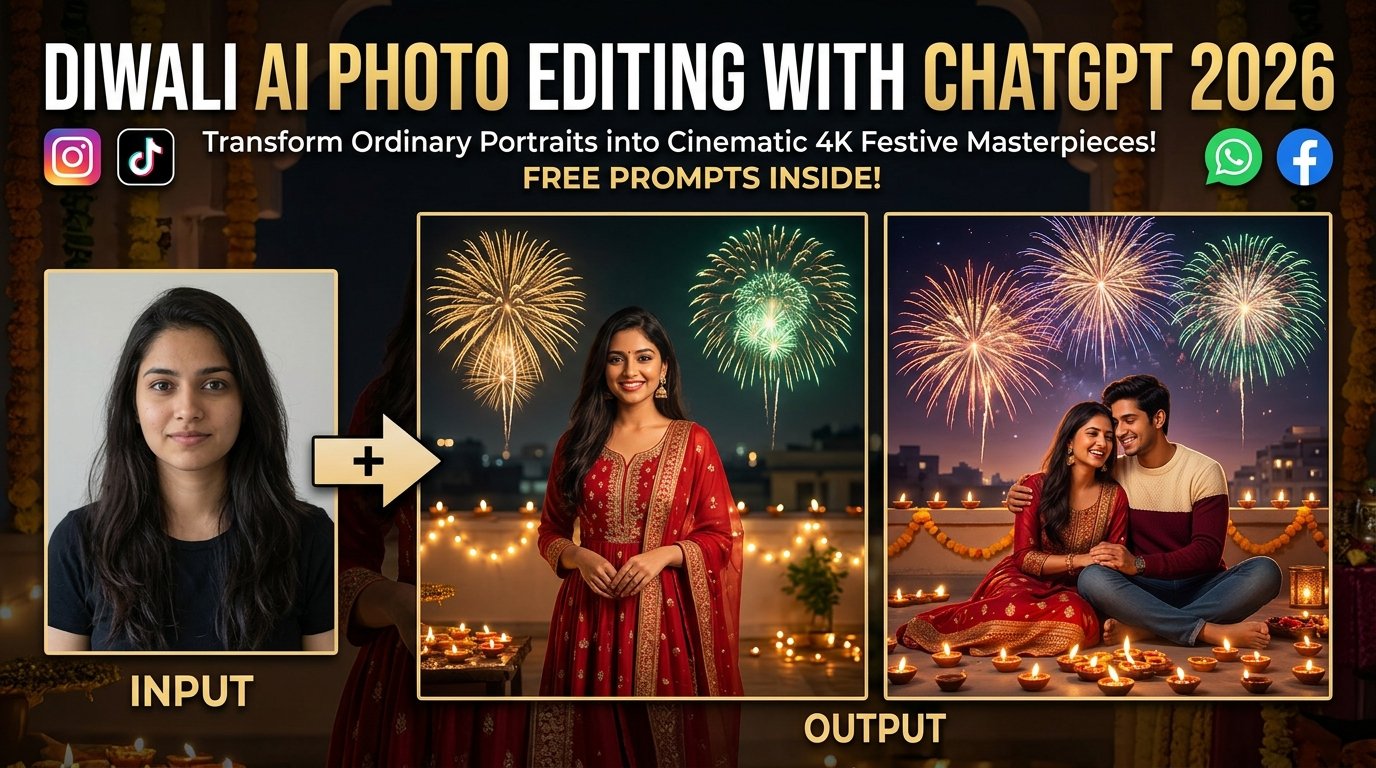
Diwali is a magical festival filled with radiant lights, deep cultural traditions, colourful decorations, and joyful celebrations. When social media feeds light up with festive content during the Festival of Lights, standing out requires more than standard camera filters. With advanced AI image generation tools like ChatGPT, you can effortlessly transform an ordinary portrait into an ultra-realistic, 4K cinematic masterpiece featuring glowing terracotta diyas, sparkling fireworks, and warm festive attire.
This comprehensive guide covers everything you need to craft your own professional Diwali photos, featuring multi-subject prompt blocks, tool workflows, and expert optimization tips.
What Is Diwali AI Photo Editing with ChatGPT?
ChatGPT AI photo editing allows you to generate or modify photographs using natural language instructions and reference images. Instead of manual Photoshop masking or complex color grading, you can upload your reference photo, describe your desired outfit, rooftop setting, lighting angle, and festive background, and let ChatGPT construct an authentic celebration portrait. Whether you want a solo traditional portrait or a romantic couple shot under exploding fireworks, AI bridges the gap between imagination and reality.
Interactive AI Prompt Workspaces
Choose from three master-crafted prompt options below. Click the respective “Copy Prompt” button to grab your preferred style instantly.
Option 1: Solo Boy Diwali Rooftop Prompt
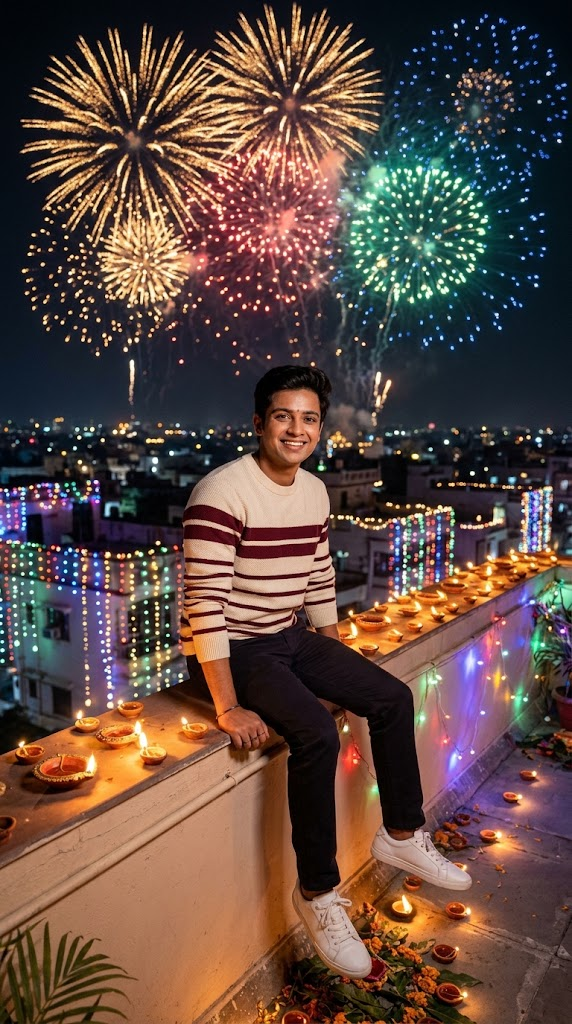
Create an ultra-realistic 4K DSLR nighttime Diwali rooftop photograph in vertical 9:16 ratio using the uploaded boy’s photo as the EXACT identity reference. Preserve his facial features, skin tone, hairstyle, and expression perfectly. He is dressed in a stylish cream-colored sweater with rich maroon horizontal stripes, dark trousers, and clean white sneakers, sitting casually on a decorated rooftop ledge. The background showcases a breathtaking night sky filled with grand, colorful exploding fireworks (gold, red, and emerald green), glowing string lights, and flickering clay diyas lining the wall. Cinematic lighting, soft warm glow reflecting on his face, photorealistic textures, high detail, natural depth of field.
Option 2: Romantic Couple Diwali Rooftop Prompt
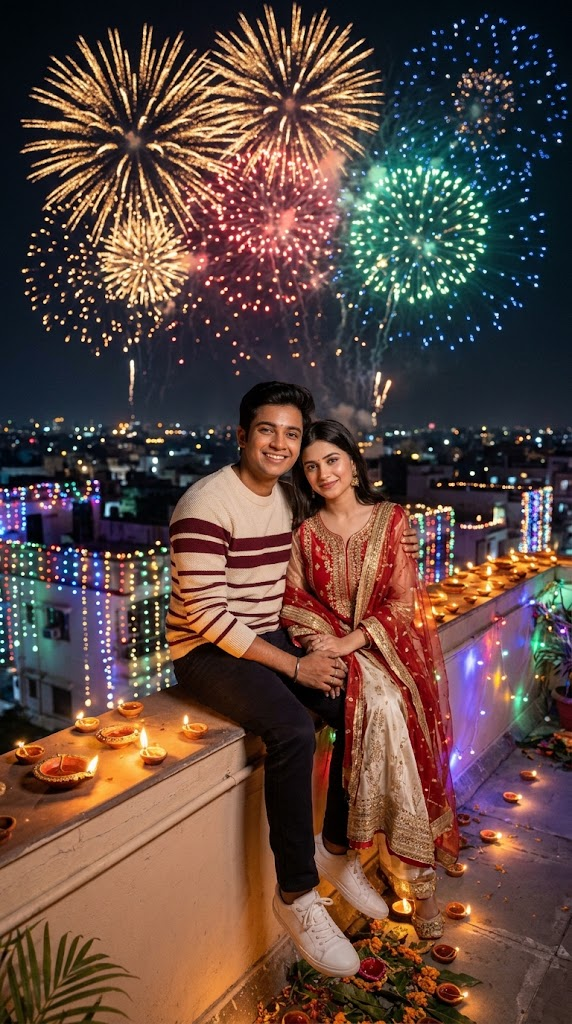
Create an ultra-realistic 4K DSLR nighttime Diwali rooftop couple photograph in vertical 9:16 ratio using BOTH uploaded photos as exact character identity references. Preserve both individuals’ facial features, expressions, and likenesses accurately. They are sitting side-by-side on a festive rooftop ledge during Diwali night. The boy wears a cream-colored sweater with maroon stripes and dark trousers. The girl sits closely beside him, wearing a gorgeous traditional red and ivory ethnic suit with gold embroidery and a matching sheer dupatta. The background features a glowing nightscape with magnificent fireworks bursting across the dark sky, warm fairy lights, and flickering terracotta diyas. Romantic mood, warm cinematic lighting, photorealistic textures, 4k resolution.
Option 3: Solo Girl Diwali Rooftop Prompt
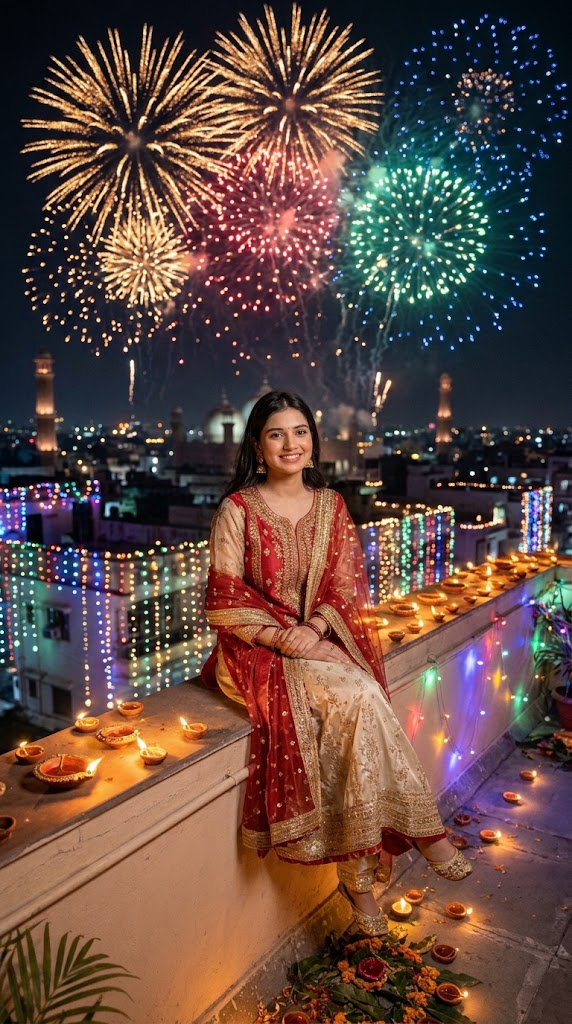
Create an ultra-realistic 4K DSLR nighttime Diwali rooftop photograph in vertical 9:16 ratio using the uploaded girl’s photo as the EXACT identity reference. Keep her exact facial features, skin tone, hair styling, and smile consistent. She is elegantly seated on a rustic rooftop ledge decorated with glowing diyas and fairy lights. She is dressed in a radiant traditional red and cream-gold designer anarkali suit with delicate embroidery, paired with a vibrant red dupatta and traditional festive accessories. In the background sky, vibrant fireworks burst in slow motion, illuminating the scene with a warm, festive glow. High detail, photorealistic 4k resolution, cinematic lighting, natural depth.
Step-by-Step Tutorial: How to Create Your Diwali AI Photos
Step 1: Access ChatGPT
- Open the official ChatGPT application or visit the web platform and sign in to your account.
Step 2: Upload Your Reference Photo(s)
- Navigate to the image generation or chat interface supporting image uploads.
- Upload a clear, well-lit reference photograph where your face is easily visible and unobstructed. (For the couple prompt, upload both individual photos).
Step 3: Deploy the Prompt
- Copy your chosen Diwali prompt from the interactive widgets above and paste it directly into ChatGPT alongside your uploaded images.
Step 4: Generate and Refine
- Submit your request and let ChatGPT render your festive photograph. Review the output for facial consistency and lighting quality. If adjustments are needed, reply with conversational tweaks (e.g., “Make the background fireworks slightly brighter”) before saving your final image for social media.
Pro Tips for Better Results with ChatGPT
- Reference Quality: Always upload high-contrast, front-facing reference photos with clear facial lighting. Avoid heavily filtered or blurry images to prevent facial distortion.
- Preserving Likeness: Explicitly emphasizing terms like “exact identity reference” inside your prompt forces the AI neural network to anchor your facial structure firmly against the generated body and outfit.
- Aspect Ratio Control: Specifying vertical 9:16 ratio ensures your final output is perfectly formatted for Instagram Reels, Stories, WhatsApp status updates, and TikTok.
Frequently Asked Questions (FAQs)
Q1: Do I need professional design skills to use this prompt?
Answer: Not at all. ChatGPT interprets natural language instructions, meaning you simply upload your photo, copy a ready-made prompt, and let the AI handle the advanced rendering.
Q2: Can I edit couple photos using this method?
Answer: Yes! By uploading two separate reference photos and using the Couple Photo Prompt, ChatGPT can synthesize both individuals into a cohesive festive scene together.
Q3: What should I do if ChatGPT alters my facial features?
Answer: If the initial generation fluctuates, reiterate your instructions by emphasizing facial preservation and re-running the prompt with stronger identity constraints.