
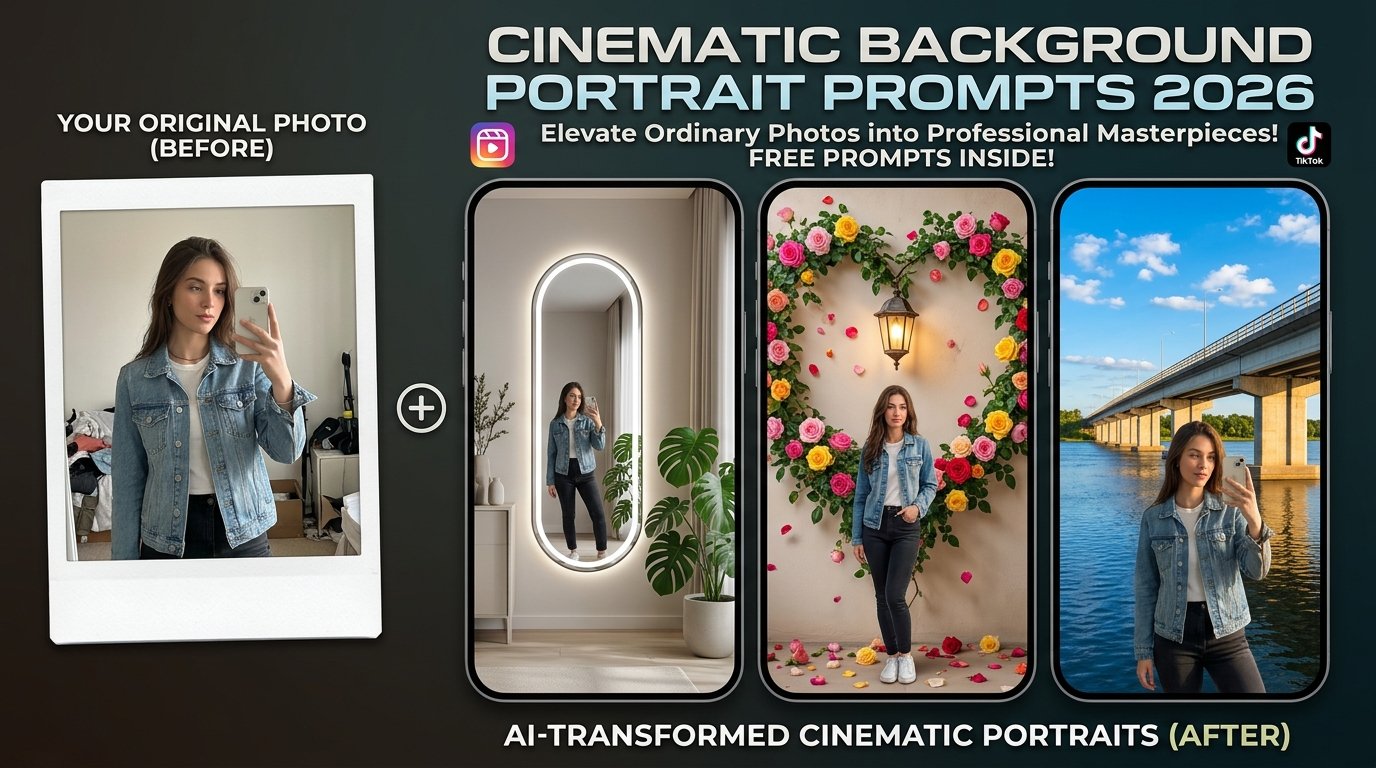
Cinematic background portrait prompts offer a seamless way to elevate ordinary portraits into stunning, professional-grade visual assets. By integrating dramatic lighting, atmospheric depth, and meticulously crafted environments, these prompts give your photos an authentic cinematic feel without altering the natural appearance of the subject.
Whether you are designing eye-catching Instagram profile pictures, social media content, or creative digital thumbnails, cinematic backgrounds provide the ultimate edge. This comprehensive guide covers everything you need to craft high-impact cinematic portraits, featuring versatile prompt blocks, step-by-step tool workflows, and expert optimization tips.
What Are Cinematic Background Portrait Prompts?
Cinematic background portrait prompts use advanced generative AI to seamlessly blend a subject from a reference photo into a professionally designed environment. Instead of manual cutout masking or complex background replacement in Photoshop, these prompts instruct the AI to analyze the subject’s lighting and scale, placing them naturally into diverse settings—such as minimalist LED mirror studios, flower-decked garden walls, scenic railway tracks, or open river bridges.
Interactive AI Prompt Workspaces
Choose from four master-crafted prompt variations below. Click the respective “Copy Prompt” button to grab your preferred style instantly.
Option 1: Modern LED Mirror Studio Prompt
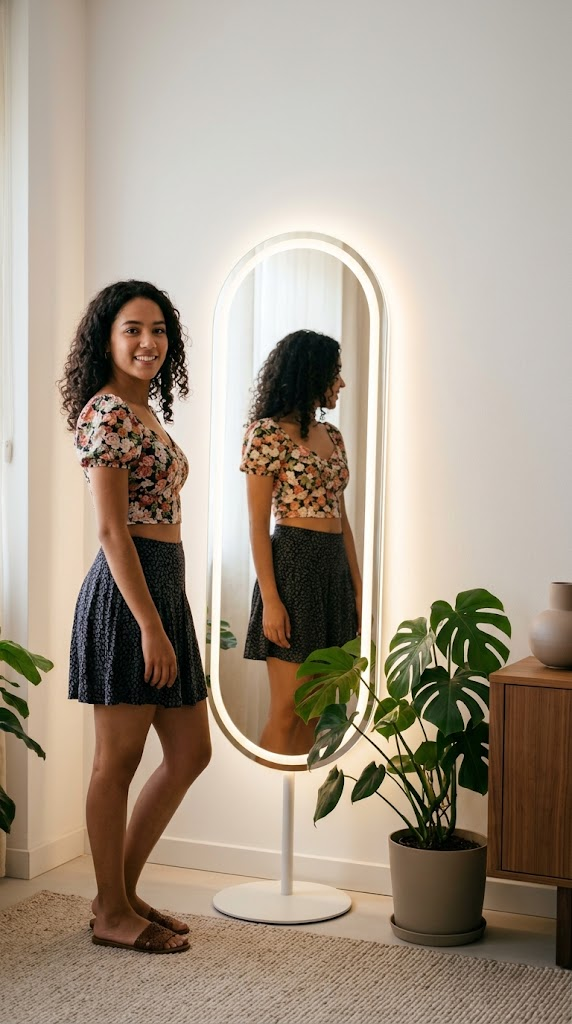
Place the person from the reference photo into the target background image in a realistic manner and adjust them to match the lighting, perspective, and color grading of the scene; do not change the subject’s face, identity, or clothing. Keep the background exactly as it is—an aesthetic indoor room featuring a sleek oval LED backlit floor mirror, minimalist furniture, and lush green potted monstera plants. Realistic mirror reflection, soft ambient glow, high detail, 4k resolution, vertical 9:16 aspect ratio.
Option 2: Romantic Floral Heart Wall Prompt
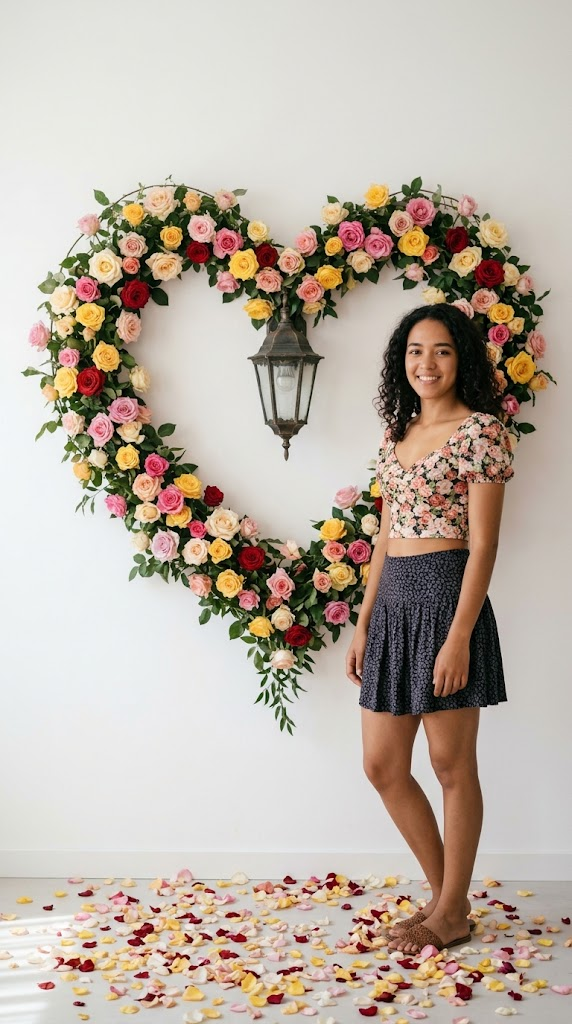
Place the person from the reference photo into the target background image in a realistic manner and adjust them to match the environmental lighting; do not alter the subject’s facial features or identity. Keep the background strictly as shown—a clean white wall decorated with a magnificent heart-shaped vine arrangement overflowing with colorful pink, yellow, and red roses, featuring a central vintage wall lantern and scattered flower petals on the ground. Soft natural sunlight, romantic cinematic depth of field, 4k resolution, vertical 9:16 format.
Option 3: Scenic River Bridge Prompt
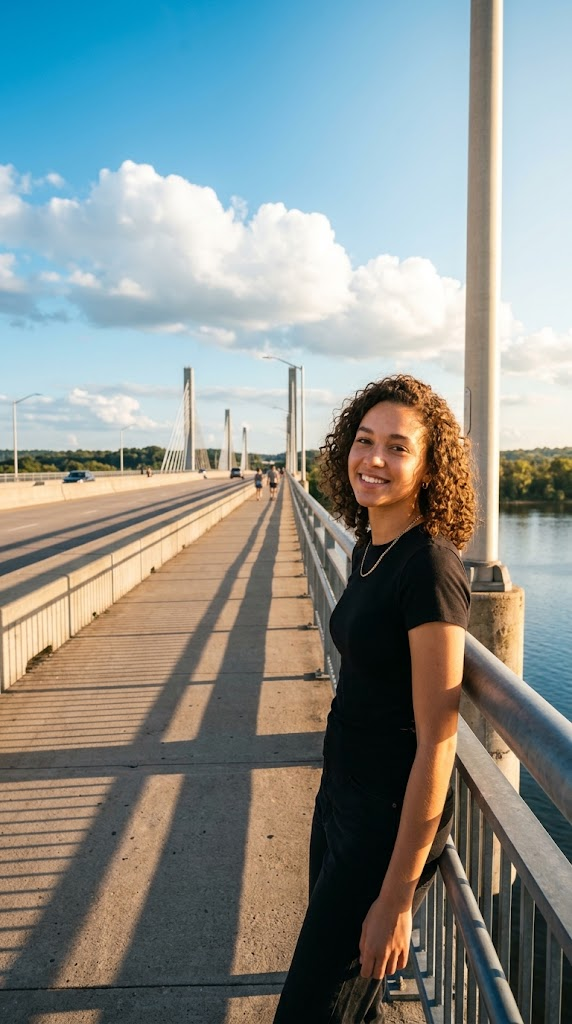
Place the person from the reference photo into the target background image in a realistic manner and adjust them to match the outdoor lighting and shadows; do not alter the subject’s face or features. Keep the background exactly as it is—a wide concrete bridge stretching across a calm blue river under a bright azure sky filled with scattered white cumulus clouds. Golden hour sunlight casting soft architectural shadows, cinematic outdoor travel aesthetic, high detail, 4k resolution, vertical 9:16 aspect ratio.
Step-by-Step Tutorial: How to Apply Cinematic Backgrounds
Step 1: Prepare Your Photos
- Select your original portrait photo (containing your face and identity) alongside your chosen cinematic background image (such as the LED mirror or floral wall).
Step 2: Access Your AI Tool
- Open your preferred AI image editor or generator that supports multi-image reference inputs (such as ChatGPT, Midjourney, or specialized background-fusion tools).
Step 3: Upload and Paste the Prompt
- Upload both your reference portrait and the target background image.
- Copy your preferred cinematic background prompt from the interactive widgets above and paste it into the prompt dialogue box.
Step 4: Generate and Refine
- Submit your request and let the AI blend your portrait into the new environment. Inspect the lighting integration and shadow alignment; if needed, make minor conversational adjustments before exporting your final image.
Pro Tips for Better Cinematic Portraits
- Preserving Natural Likeness: Always include explicit instructions in your prompt stating “do not change the subject’s face, identity, or clothing” to ensure the AI focuses solely on environmental blending.
- Lighting Match Consistency: Ensure that the lighting direction in your reference portrait roughly aligns with the light source of your target background (e.g., indoor soft glow vs. outdoor golden hour sun) for maximum realism.
- Platform Optimization: Keep your output dimensions locked to 9:16 vertical ratio for optimal display across Instagram Reels covers, Stories, and TikTok profiles.
Frequently Asked Questions (FAQs)
Q1: Do I need advanced graphic design skills to use these prompts?
Answer: Not at all. AI image generators handle perspective matching, lighting blending, and shadow casting automatically based on your text instructions.
Q2: What should I do if the AI changes my facial features during background replacement?
Answer: If identity shifting occurs, reiterate strict constraints in your prompt (such as “exact identity reference” or “do not alter facial features”) to force the neural network to preserve your original likeness.
Q3: Can I use these prompts for both solo and couple portraits?
Answer: Yes! By uploading reference photos containing either individuals or couples, you can adapt these cinematic backgrounds to fit solo shots or romantic duo edits.