
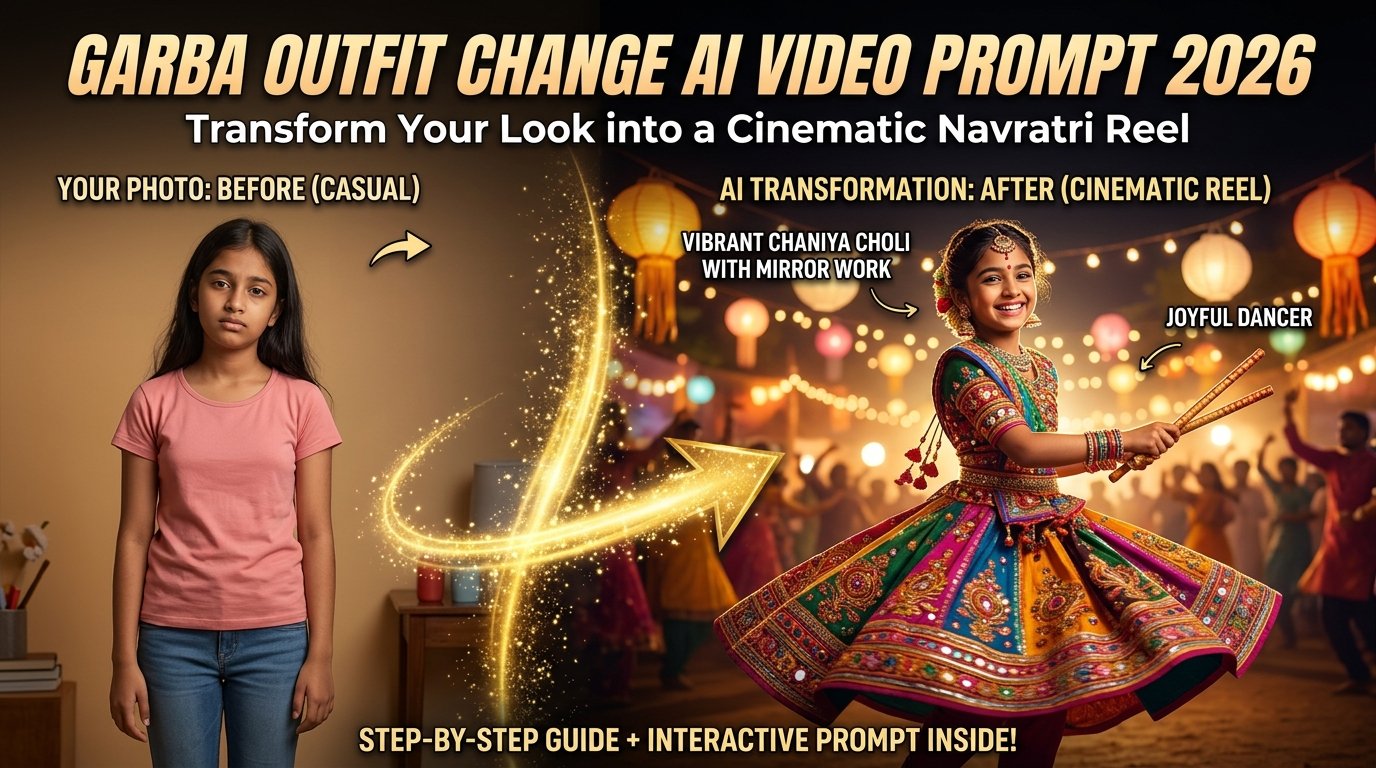
Festive seasons on social media are all about eye-catching visual transformations. As Instagram Reels and YouTube Shorts flood with celebratory content, traditional static images no longer capture attention. The latest trend taking over feeds is the Garba Outfit Change AI Video—a seamless, magical transition where an ordinary everyday outfit transforms into a vibrant, traditional Navratri chaniya choli while keeping your exact facial identity intact.
This comprehensive guide covers everything you need to craft a viral Garba transition video, complete with professional prompt engineering, tool workflows, and expert optimization tips.
What Is a Garba Outfit Change AI Video?
The Garba Outfit Change concept is a short, highly engaging AI-generated video where your clothing transitions smoothly from standard casual wear into an elaborate, traditional Navratri outfit.
Instead of traditional manual video editing or complex masking, advanced image-to-video AI pipelines analyze your facial structure, skin tone, and body posture from a reference photo. They then project your exact identity into a festive environment complete with traditional mirror-work garments, ethnic jewelry, and warm glowing festival lighting.
Interactive AI Prompt Workspace
Use the tool below to instantly grab the master-crafted, ultra-detailed Garba Outfit Change AI video prompt. Click the “Copy Prompt” button to copy it straight to your clipboard.
HTML
Create a 10-second vertical 9:16 cinematic fashion reel using the uploaded image as the girl’s reference. Keep her exact face, identity, skin tone, facial proportions, and natural features consistent throughout the video. Seamlessly transition her casual clothing into a stunning, vibrant traditional Navratri Garba outfit. The new attire features an elaborate multi-colored chaniya choli with intricate mirror work, embroidered fabric panels (ruby red, turquoise blue, golden yellow, and royal purple), a matching embroidered dupatta, traditional silver jhumka earrings, stacked bangles, and a delicate bindi. The background transforms into a festive Navratri celebration ground decorated with warm ambient lighting, glowing paper lanterns, and soft bokeh. Smooth cinematic camera motion, realistic fabric textures reflecting light during movement, high detail, 4k resolution, natural motion physics.
Step-by-Step Tutorial: How to Create Your Garba Outfit Change Video
Step 1: Choose the Right Reference Photo
- Select a clear, high-resolution portrait or medium-length photo where your face, hairstyle, and body posture are clearly visible.
- Avoid blurry images, heavy filters, or photos where your face is obscured by sunglasses or shadows. Clean, well-lit reference photos ensure the AI preserves your exact facial features.
Step 2: Access an AI Video Generator
- Open your preferred AI video generation tool (such as Google Flow or Gemini) that supports image-to-video workflows.
- Upload your reference photo into the platform’s image input slot.
Step 3: Deploy the Prompt
- Copy the master prompt from the interactive code widget above and paste it into the prompt box.
- Ensure your aspect ratio is configured to 9:16 Vertical for optimal social media formatting.
Step 4: Generate and Review
- Click Generate and wait for the AI to process the temporal frames. Preview the outfit transition, facial consistency, and background lighting. If adjustments are needed, tweak the prompt parameters and re-run.
Pro Tips for Maximum Realism and Engagement
- Customizing Your Color Palette: You can easily modify the prompt colors to match your personal style—such as combining hot pink and turquoise, or classic red and gold mirror work.
- Audio Synchronization: Import your final downloaded video into CapCut or Instagram Reels Editor, add trending Garba beats or Navratri festival music, and sync the outfit transition directly with the beat drop.
- Quality Check: Before publishing, review the final export to ensure hands, jewelry, and facial consistency remain stable throughout the transition.
Frequently Asked Questions (FAQs)
Q1: What tools can I use to generate this Garba outfit change video?
Answer: You can use advanced multimodal platforms like Google Gemini or Google Flow that support image-to-video reference generation.
Q2: Why is my reference photo quality important?
Answer: The AI relies on your reference photo to map your facial structure and skin tone. Clear, well-lit photos prevent facial distortion during the clothing transition.
Q3: How can I make the transition look smoother?
Answer: Keeping your prompt focused on gradual fabric movement and clear lighting physics helps the AI render a natural, seamless transition without sudden visual jumps.