
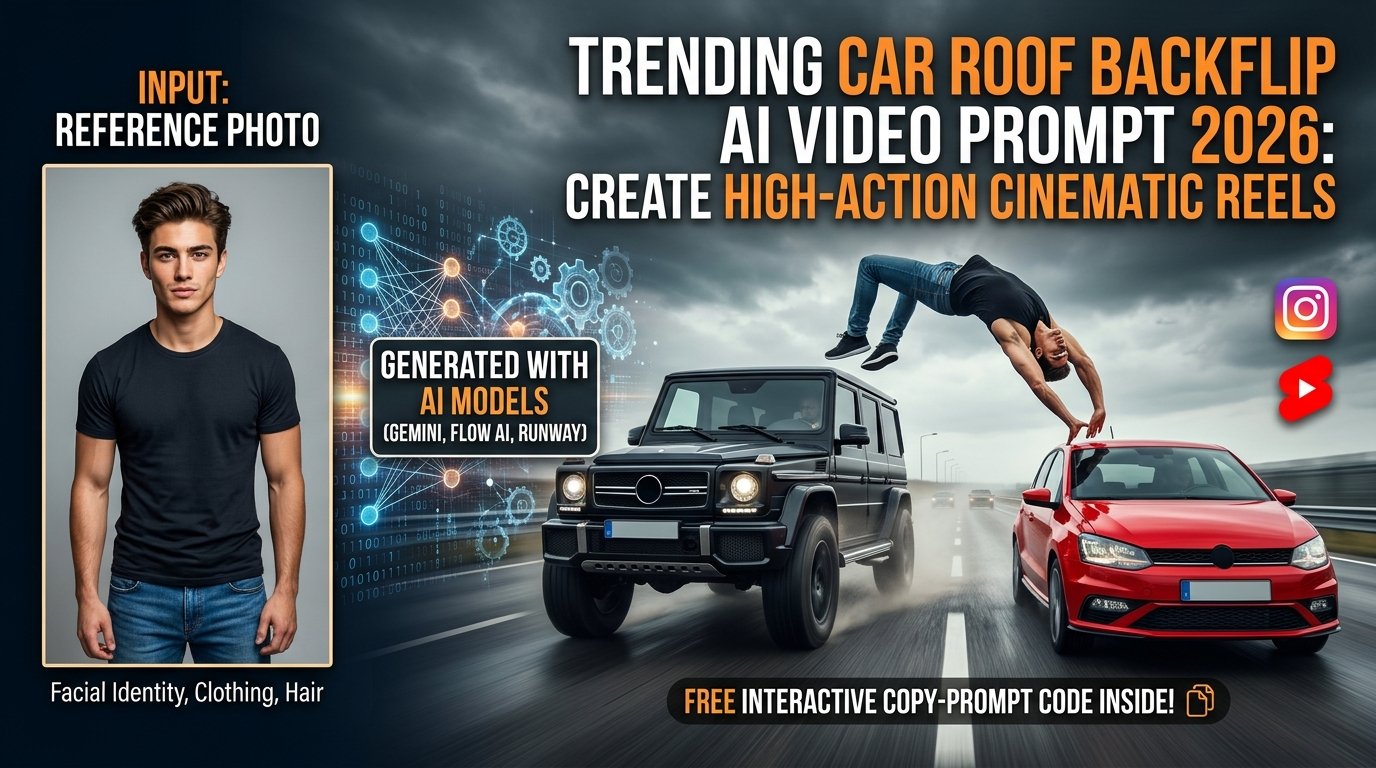
Action-packed cinematic sequences are taking over Instagram Reels and YouTube Shorts. Moving beyond standard portrait animations, the latest viral trend features an intense stunt: a character emerging from the roof of a moving black SUV, executing a dramatic mid-air backflip across a highway gap, and landing precisely on the roof of a parallel-driving red hatchback.
With advanced generative AI video models (such as Google Gemini, Flow AI, and Runway), you can transform a normal reference photo into an adrenaline-fueled Hollywood-style stunt video while keeping your exact facial identity and clothing intact.
This comprehensive guide covers everything you need to craft your own high-energy car action reel, complete with pro prompt engineering, tool workflows, and expert realism tips.
What Is the Car Roof Backflip AI Video Trend?
The Car Roof Backflip trend combines high-velocity vehicle motion with dynamic acrobatic movement. Instead of complex manual compositing or VFX keyframing in After Effects, image-to-video AI pipelines analyze your reference photo’s facial features and clothing, projecting your likeness directly into a complex physics-based stunt sequence.
- The Vehicles: A black SUV and a red hatchback cruising side-by-side on a wide multilane highway.
- The Action: A seamless transition where the character vaults from the SUV roof, flips through the air, and lands safely on the hatchback roof.
- The Atmosphere: Realistic motion blur, asphalt reflections, and cinematic overcast lighting that mimic professional Hollywood action cinematography.
Interactive AI Prompt Workspace
Use the tool below to instantly grab the master-crafted, ultra-detailed Car Roof Backflip AI video prompt. Click the “Copy Prompt” button to copy it straight to your clipboard.
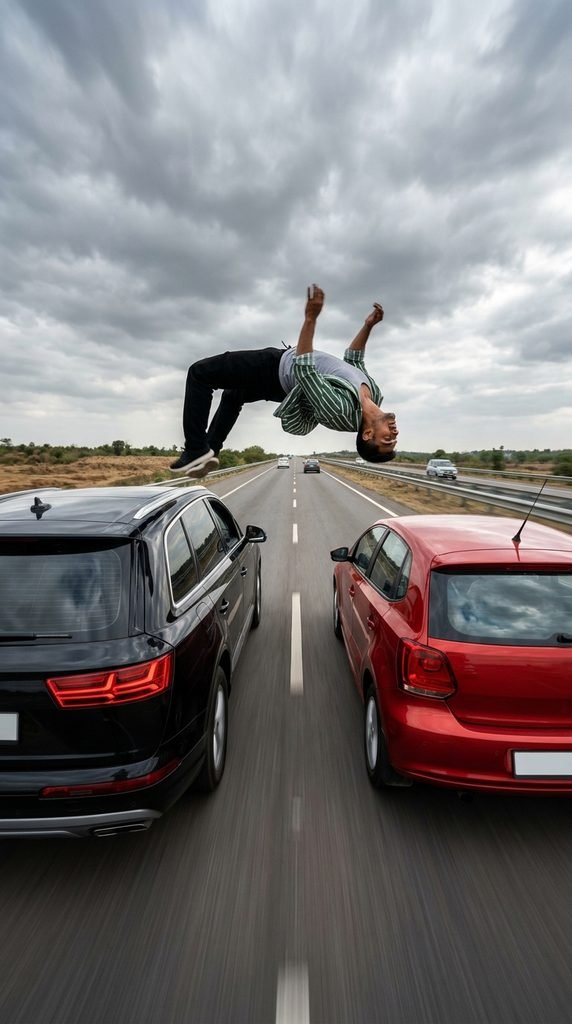
A rear-view, wide-angle cinematic action shot on a wide multilane highway under a dramatic overcast sky. A black SUV drives steadily on the left lane and a red hatchback drives parallel on the right lane at matching high speeds. Using the uploaded photograph as the exact character and facial identity reference, a person identical to the reference emerges from the roof of the black SUV. The character springs upward and executes a smooth, athletic backflip through the air across the gap between the two moving vehicles, landing with natural momentum and stability on the roof of the red hatchback. Preserve the character’s exact facial features, skin tone, hairstyle, and outfit from the reference image throughout the entire sequence. High-speed motion blur on the asphalt, realistic vehicle paint reflections, dynamic action camera stabilization, natural lighting and shadows, 4k resolution, cinematic color grading, physics-accurate motion.
Step-by-Step Tutorial: How to Create Your Car Roof Backflip Video
Step 1: Select Your Reference Photo
- Choose a clear, high-resolution portrait or full-body photo where your face and clothing are easily distinguishable.
- Avoid blurry images or heavy filters so the AI can accurately anchor your facial identity and outfit during the high-speed stunt animation.
Step 2: Upload to an AI Video Suite
- Open your preferred generative video platform (such as Google Flow or Gemini) that supports character reference image uploads.
- Upload your photo as the primary character reference asset. If the platform supports motion reference files, you can also attach a baseline stunt action clip.
Step 3: Deploy the Prompt
- Copy the master prompt from the interactive code box above and paste it into the prompt input field.
- Lock your output settings to a 9:16 vertical aspect ratio for optimal mobile viewing on social media platforms.
Step 4: Generate and Review
- Click Generate and let the neural network render the action sequence. Review the video for vehicle consistency, smooth backflip physics, and facial stability. If needed, re-run generation to polish minor artifacts.
Pro Tips for Maximum Realism and Engagement
- Vehicle Consistency: Explicitly defining both vehicle colors (black SUV and red hatchback) prevents the AI from altering car models mid-sequence.
- Audio & Beat Syncing: Import your downloaded clip into CapCut or Instagram Reels Editor. Layer heavy bass or dramatic cinematic action music, syncing the exact moment of the backflip leap to the main beat drop.
- Safety Disclaimer: As thrilling as this stunt looks on screen, it is entirely computer-generated via AI. Never attempt vehicle stunts in real life! Enjoy this prompt purely for creative digital storytelling.
Frequently Asked Questions (FAQs)
Q1: What tools are best for generating this car action video?
Answer: Advanced multimodal video generation platforms like Google Gemini and Flow AI handle complex multi-object motion and character consistency exceptionally well.
Q2: Why does the AI sometimes alter the car models during the jump?
Answer: High-motion temporal AI models can occasionally shift object shapes. Specifying exact vehicle descriptions and maintaining strict prompt constraints helps keep the cars uniform throughout the shot.
Q3: Can I change the vehicle types or colors in the prompt?
Answer: Yes! You can easily swap the vehicle descriptions in the prompt text (e.g., changing the red hatchback to a sports coupe or changing the SUV model) to match your personal aesthetic.